


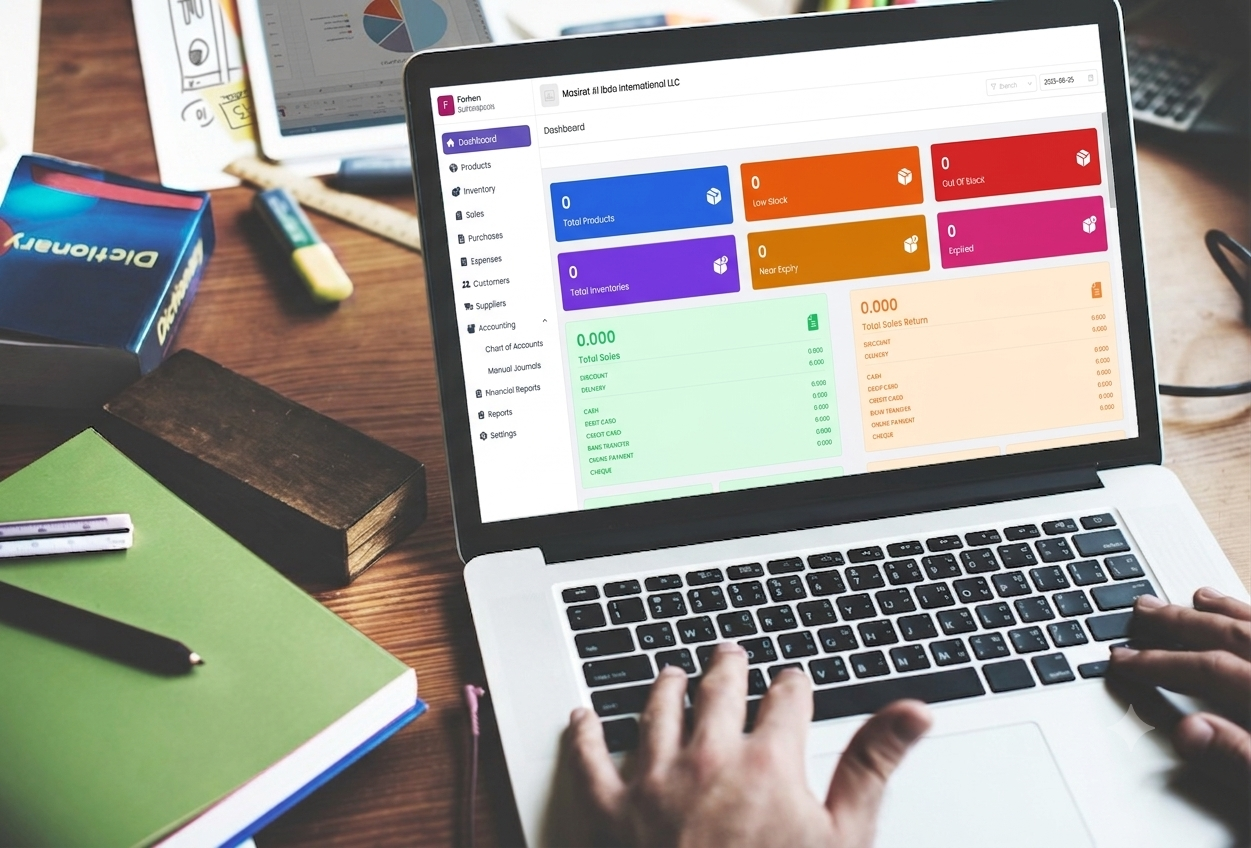
How to Choose the Right Accounting Software for Your Business in Oman
It’s 9pm, invoice season is closing, and someone on your team is still cross-checking a spreadsheet against a stack of receipts to figure out why the numbers don’t match. Sound familiar?
Every growing business in Oman hits this wall eventually. Sales are up, you’ve maybe opened a second location, and the WhatsApp-and-Excel system that worked fine at the start is now the reason your month-end takes five days instead of one. The fix usually isn’t “work harder” , it’s picking accounting software Oman businesses can actually run their books on, instead of just billing customers with.
This guide walks through why you need accounting software in the first place, the features actually worth paying for, how to choose between the dozens of options on the market, the mistakes most business owners make, and a question you should be asking every vendor right now: does the software support e-invoicing? Think of it as the most complete starting point for evaluating accounting software Oman has to offer, written for business owners rather than accountants.
Why Your Business Needs Accounting Software
If you’re still running your business on spreadsheets, a paper ledger, or a basic billing app that doesn’t talk to your accounts, you’re not alone , but you are exposed in a few specific ways.
Manual errors compound
A wrong figure in one invoice doesn’t stay in one invoice. It flows into your VAT filing, your profit and loss statement, and the numbers you show a bank or investor. By the time someone catches it, it’s usually weeks later and buried under a hundred other transactions.
You lose visibility, not just time
Without a live view of sales, stock, and expenses, you’re making decisions on outdated information. Is that product actually profitable? Which customer owes you money? Is a branch quietly bleeding cash? A spreadsheet updated once a week can’t answer that.
Compliance risk grows with the business
Oman’s 5% VAT, introduced in 2021, means every invoice needs the right tax treatment, and every filing needs to reconcile cleanly. Add multiple branches or a growing customer base, and manual VAT calculation stops being a minor inconvenience and starts being a real liability.
Growth exposes the cracks
The workaround that worked for one shop breaks the moment you open a second. Stock counts stop matching, and nobody’s sure which branch actually sold what.
Accounting software solves this by connecting billing, purchasing, inventory, and financial reporting into one system , so the numbers update themselves instead of depending on someone remembering to update a sheet. This is exactly why demand for reliable accounting software Oman businesses can trust has grown alongside VAT and the country’s shift toward digital compliance.
Key Features to Look for in Accounting Software in Oman
Not all accounting software is built the same, and a lot of what’s marketed as “accounting software” is really just an invoicing tool with a spreadsheet bolted on. Here’s what actually matters when you’re evaluating accounting software Oman vendors are offering right now.
VAT-compliant invoicing and reporting: The software should calculate VAT automatically on every invoice and purchase, and generate a VAT summary report you can hand to your accountant or the Oman Tax Authority without rebuilding it manually. If you have to calculate tax yourself and just record the result, that’s not VAT-compliant accounting software, that’s a calculator with extra steps.
Cloud accounting software vs. on-premise: Cloud accounting software means you can check your numbers from everywhere, your accountant can log in remotely, and you’re not relying on a single desktop computer at one branch to hold your entire business’s financial history. When you’re choosing accounting software for SMEs in Oman, cloud is the practical default — it also makes backups, updates, and multi-branch access far simpler than an on-premise install.
Inventory tracking that connects to billing: If a sale doesn’t automatically reduce stock, and a purchase doesn’t automatically add to it, you’re maintaining two records of the truth , and they will eventually disagree. Look for batch-level tracking, expiry alerts if you sell anything perishable, and automatic stock adjustment on every transaction.
Multi-branch support: If you have more than one location, or plan to, check whether the software actually supports it , a single admin view, inter-branch stock transfers, and branch-level reporting , rather than requiring a separate account per branch.
Real financial reports, not just sales totals: A general ledger, trial balance, balance sheet, and profit & loss statement should be a few clicks away, not something you wait for your accountant to compile once a quarter.
Automated journal entries: Every sale, purchase, and expense should post to your books on its own. If your team is still manually entering journal entries for transactions the system already recorded, the software isn’t actually doing the accounting , it’s just storing data.
Local support in your time zone: When something breaks during business hours in Muscat, a support ticket routed to a team eight time zones away isn’t much help. This matters more than it sounds like it should.
How to Choose the Right Accounting Software for Your Business
With the features above in mind, here’s a practical way to narrow down your options.
- Map what you actually do, not what you might do someday:
List your real workflows, how you bill, how you buy stock, how many branches you run, whether you sell services, products, or both. Software that’s overbuilt for a business twice your size will just slow your team down with screens you’ll never use.
- Check VAT and e-invoicing readiness specifically:
Ask directly: how is VAT calculated, and is there a dedicated VAT summary report? Then ask about e-invoicing, more on why that matters below.
- Test it on your busiest workflow, not the demo’s easiest one:
Most demos show you the smoothest possible path. Ask to run through your actual billing process, wholesale invoice, return, or multi-item sale, and see how many clicks and screens it takes.
- Confirm it scales with you:
If you’re planning a second branch in the next year or two, check now whether adding one means a new setup from scratch or a genuine multi-branch feature.
- Ask about migration:
Can you import your existing customer list, supplier records, and product catalogue in bulk, or are you starting from zero? This alone can be the difference between going live in a week versus a month.
- Talk to support before you buy, not after:
Call or message their support line with a real question before signing up. How fast, and how usefully, they respond tells you what to expect once you’re a paying customer with a live problem.
Common Mistakes Businesses Make When Choosing Accounting Software
Picking based on price alone:
The cheapest tool often lacks VAT handling, real reporting, or multi-branch support, meaning you’ll outgrow it within a year and pay to migrate again, plus the cost of bad decisions made on incomplete numbers in the meantime.
Choosing a billing app and calling it accounting software:
Plenty of tools generate a nice-looking invoice but don’t post it anywhere near a general ledger. If it can’t produce a balance sheet or trial balance, it isn’t accounting software, it’s an invoice generator.
Ignoring VAT compliance until filing season:
Businesses often adopt software for its interface and only discover at their first VAT filing that tax wasn’t being calculated or recorded correctly. By then, the fix means reconstructing months of invoices.
Underestimating the cost of switching later:
Every extra month on the wrong system means more historical data to migrate, more staff habits to retrain, and more risk of something breaking in the handover. The right time to switch is before the pain, not after.
Not asking about local compliance:
Software built for a generic global market sometimes handles VAT in a way that doesn’t map cleanly to Oman’s requirements, or has no plan at all for Oman’s upcoming e-invoicing mandate. Always ask directly rather than assuming.
Why a Local Solution Helps
A lot of accounting software sold in Oman is built for a broader GCC or global market first, with local requirements added on afterward. That approach works, until it doesn’t.
Software built by a team based in Oman tends to get the details right from day one: VAT calculated the way the Oman Tax Authority expects it, reports formatted the way local accountants actually use them, and support available in the same working hours you operate in, in English or Arabic. When Oman’s VAT rules or invoicing requirements change, which they are actively doing right now, a local team is watching those changes as they happen, not catching up to them months later from another country.
There’s also a practical support argument. If your cash register software goes down at 11am on a Thursday, a support call answered by someone in Muscat who understands your business context is a very different experience from an offshore ticket queue.
Does Your Accounting Software Support E-Invoicing?
This is the question most business owners in Oman aren’t asking yet, and should be.
The Oman Tax Authority (OTA) is rolling out a mandatory e-invoicing system called Fawtara, built on the Peppol network, requiring VAT-registered businesses to issue structured electronic invoices rather than paper or PDF documents. The rollout is phased: it starts with a pilot group of large taxpayers in 2026, and expands in stages to cover all VAT-registered businesses by around 2028, according to Sovos’ overview of the Oman e-invoicing mandate. Invoices under Fawtara need to be generated through accounting or ERP software and transmitted in a structured format aligned with the OTA’s technical specification, as detailed in EDICOM’s summary of the Oman e-invoicing timeline.
If your business isn’t in the first wave, it’s tempting to treat this as a problem for later. But the businesses that struggle most with mandates like this are the ones that wait until their compliance date is a few months away before checking whether their software can even generate the right invoice format.
So ask any vendor directly: what’s your e-invoicing roadmap, and how are you tracking the OTA’s phased rollout?
ManageDesks, our own billing and accounting platform, already generates VAT-compliant invoices with automatic tax calculation and a dedicated VAT summary report today, and we’re tracking the Fawtara requirements closely as the OTA finalizes each phase, so businesses using ManageDesks aren’t caught off guard when their compliance date arrives. If e-invoicing readiness is a deciding factor for you, and for most growing businesses in Oman, it should be, it’s worth asking us, or any vendor, this exact question before you commit.
Why ManageDesks Is Built for the Omani Market
If you’re weighing up options, it’s worth putting ManageDesks on that list, not because it does everything, but because it was built by a Muscat-based team specifically for how businesses in Oman operate. VAT is calculated automatically on every invoice, with a dedicated VAT summary report ready whenever your accountant or the Tax Authority needs it. Multi-branch businesses get a single dashboard, inter-branch stock transfers with a full audit trail, and 26 built-in financial and inventory reports, from a general ledger and balance sheet to daily stock and expiry alerts, without stitching together three separate tools. As Oman’s e-invoicing mandate rolls out under Fawtara, ManageDesks is actively tracking each phase of the OTA’s requirements, so businesses on the platform are positioned to adapt as the compliance timeline firms up, rather than scrambling once a deadline is announced. Add local support over phone and WhatsApp, in the same time zone, in English or Arabic, and it’s the kind of detail-level fit that’s hard to get from software built for a broader, generic market.
Frequently Asked Questions
Is cloud accounting software safe for businesses in Oman?
Yes, provided the vendor uses role-based access control, encrypted data storage, and regular backups. Cloud accounting software also has a practical safety advantage over on-premise systems: your financial records aren’t tied to a single physical computer that could be lost, damaged, or stolen.
Do I need VAT-compliant accounting software if my business is small?
If you’re VAT-registered in Oman, generally required once your annual turnover crosses the registration threshold, yes. Even below that threshold, VAT-ready invoicing makes registering later, or working with VAT-registered suppliers and customers, considerably smoother.
What is e-invoicing and does it apply to my business yet?
E-invoicing under Oman’s Fawtara program requires structured electronic invoices instead of paper or PDF. It’s rolling out in phases, starting with large taxpayers, and expanding over the following two to three years. Even if your business isn’t in the current phase, it’s worth confirming your software has a plan to support it before your compliance date arrives.
Can accounting software handle multiple branches in Oman?
Good multi-branch accounting software should let a Super Admin view all locations from one dashboard, support inter-branch stock transfers with an audit trail, and produce consolidated as well as branch-level reports, without requiring a separate setup for each location.


2 Comments
Accounting Software for SMEs in Oman I Managedesks
September 8, 2026[…] If you’re still comparing different accounting solutions – read our complete guide on choosing the right accounting software for your business in Oman. […]
Cloud Accounting Software in Oman vs Desktop Accounting Software: Which Is Better?
September 16, 2026[…] still working through the basics of what to look for, we’ve also written a full guide on How to Choose the Right Accounting Software for Your Business in Oman, covering key features, common mistakes, and the e-invoicing question every Omani business should […]